
Your settings
- Details
Products description
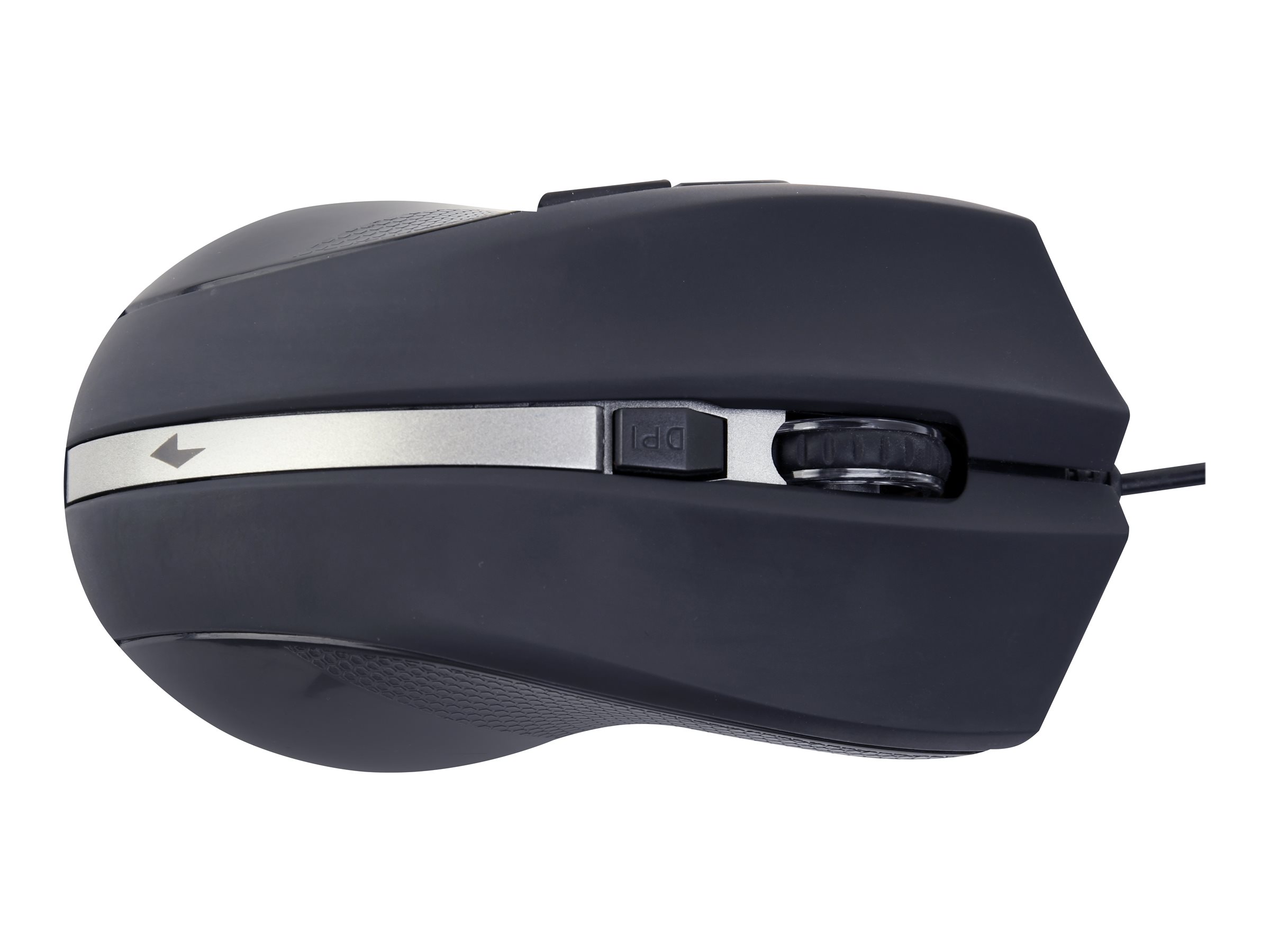
The ThinkBook Bluetooth Silent Mouse takes a well-worn concept and turns it on its head, delivering a productivity device that doesn t get in the way of the busy professionals who use it. It sculpted to be comfortable to rest your palm on, with a low-profile, minimalist design that makes the mouse easy to carry and fit into pockets without bulging. Get more done with the blue optical sensor that allows you to work on most surfaces, revolutionary, distraction-free silent buttons, and on-the-fly adjustable DPI controls. Effortlessly pair with up to two devices at once and quickly switch between them with the push of a button, thanks to Bluetooth 5.0 and Microsoft Swift Pair technology.
| Mouse | |
| Purpose: | Office |
| Device interface: | Bluetooth |
| Movement detection technology: | Optical |
| Scroll type: | Wheel |
| Buttons quantity: | 3 |
| Buttons type: | Pressed buttons |
| Movement resolution: | 2400 DPI |
| Customizable movement resolution: |  |
| Number of movement resolution modes: | 3 |
| Bluetooth version: | 5.0 |
| Certification: | ANATEL, ANRT, ARTCI, BSMI, CB, CE-RED-EMC+RF, CERT, cTUVus, DWLF&M, EN62471, ENACOM, FCC ID, IC, ictQATAR, IMDA, JRF, KC, MIC, NCC, SRRC, SUBTEL, TRA, TRA, TRC, TUV Mark, UCC, WPC |
| Design | |
| Form factor: | Ambidextrous |
| Product colour: | Grey |
| Surface coloration: | Monochromatic |
| Power | |
| Power source: | Batteries |
| Number of batteries supported: | 1 |
| Battery type: | AA |
| Battery technology: | Alkaline |
| Service life of battery: | 12 month(s) |
| Operational conditions | |
| Operating temperature (T-T): | 0 - 40 °C |
| Operating relative humidity (H-H): | 10 - 90% |
| System requirements | |
| Windows operating systems supported: | Windows 10, Windows 10 Education, Windows 10 Education x64, Windows 10 Enterprise, Windows 10 Enterprise x64, Windows 10 Home, Windows 10 Home x64, Windows 10 IOT Core, Windows 10 IoT Enterprise, Windows 10 Pro, Windows 10 Pro x64, Windows 10 x64 |
| Weight & dimensions | |
| Width: | 107 mm |
| Depth: | 58 mm |
| Height: | 29 mm |
| Weight: | 61 g |
| Packaging content | |
| Batteries included: | |
| User guide: | |
| Packaging data | |
| Quantity: | 1 |
| Package width: | 110 mm |
| Package depth: | 78 mm |
| Package height: | 40 mm |
| Package weight: | 129 g |
| Package type: | Box |
| Logistics data | |
| Harmonized System (HS) code: | 84716070 |
Product Safety Information
Responsible Person in the EU:
Lenovo Landererova 12 811 09 Bratislava Slovakia https://pcsupport.lenovo.com/contactus https://pcsupport.lenovo.com/supportphonelist
Last viewed:

All prices incl. VAT. plus shipping and handling. The crossed out prices correspond to the price at OCTO24.com.
OCTO24.com © 2026 | Template © 2009-2026 by modified eCommerce Shopsoftware
OCTO24.com © 2026 | Template © 2009-2026 by modified eCommerce Shopsoftware